
Category: BIM
LINQ applied to Revit API
It has been some time since my last post, I went all out this and last year hoarding knowledge and experience. I am still doing it, mastering .Net beyond the limited Framework 4.8 and working on amazing automation projects. But I have come to realise during this time that this is my special place where…

AI in the AEC industry
Over the past few years, the realm of technology has experienced a significant leap forward, thrusting AI into the limelight for the general public. What’s particularly striking is the swift adoption of AI within the AEC industry, a departure from the usual pace of innovation uptake. Many firms are eagerly exploring avenues to seamlessly integrate…
BIMicon plugin compatible with Revit 2019 to 2023
It is a long overdue post, but better late than never we would say! We are excited to announce that the BIMicon plugin has been updated to version 1.4.0.0. This new update is compatible with Revit versions from 2019 to 2023, ensuring that users can seamlessly integrate the latest technology with their BIM projects. We…

Value BIM Management as the future of BIM Management
The careful planning and staged inclusion of these technologies into workflows in architectural, engineering and construction companies, is what I call BIM Value Management.
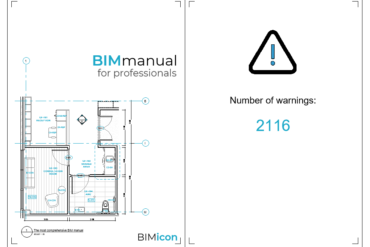
Revit Macro to display warnings when Opening Project
Welcome back! I am feeling very grateful today, got a lot of pending tasks done and a few projects coming! Also, I have plenty of stuff to share during this year. So, I will start showing this useful Revit macro to populate the Start page, the page showed when opening the Revit project, with the…

Rhino.Inside Revit – Facade Paneling and Clustering in Revit
Before Rhino.Inside Revit came to existence, I worked on a project to panel a 5.000m2 surface that would be the facade of a stadium. The client demanded the panels to be modeled in Revit, so the final geometry had to be handed in native Revit geometry. The approach I took was to panel the surface…
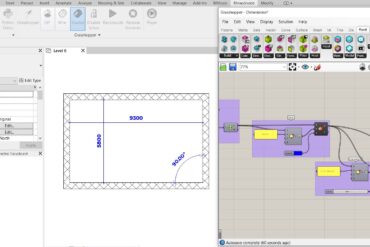
Rhino.Inside Revit – Easy way to Change Family Type Parameters
A few weeks ago, working on a project which has been on the baking for 3 and half years, and was passed on uncountable hands, I found myself in the need to match all the different dimension types. The styles included color, font family, font size, tick extension among others. As you can imagine, my…
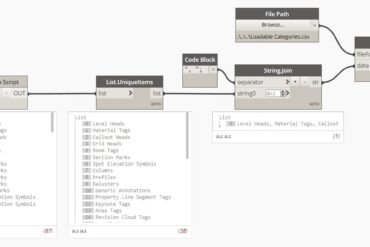
Get All Loadable Family Categories in Revit
During the process of developing a custom family browser for the BIMicon Toolbar, the following question surfaced; how can we classify which family categories can be loaded and which others were system families? In other words, what are the all loadable family categories in Revit? Well, for a quick enumeration I went to Dynamo and…
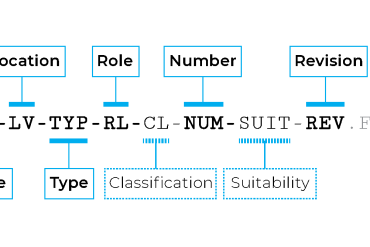
Exciting Updates Coming to BIMicon
It has been a busy month preparing all the new features we are going to launch at BIMicon. But here are some of the few points we would like to update and share with you: We have created a new section on our website named Resources. It contains guides and documents to create BIM standards…
5 great advantages of a Computational BIM Manager
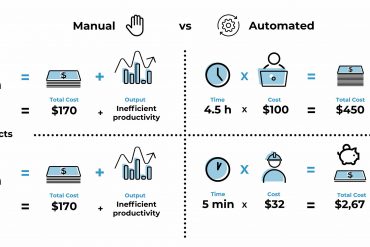
BIM is a disruptive innovation, as it was AutoCAD when released. But here comes a dramatic difference the scope of work that BIM wants to embrace makes AutoCAD pale in comparison. BIM is software aimed to replicate the entire reality of the construction process in a virtual environment. All stakeholders are obliged to input their…
Active view on sheet/s
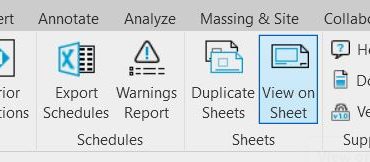
A few posts ago, we changed our project to be able to create WPF windows inside it, Class Library to WPF, and today we are taking advantage of it to create our first custom WPF window for user input. User input to select sheet/s to place active view In Revit, most of the functionality is…
Revit Tip and Tricks 1: Viewport Titles
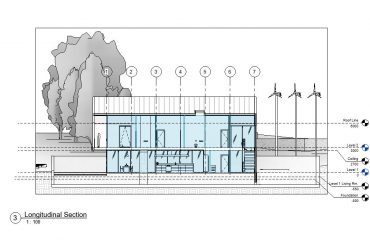
Today, we proudly introduce to our readers a new section in our blog: a demanded segment about day to day Revit tips and tricks. This section will help our readers get the most out of Revit with no coding required. For our advanced readers, fear not, this will run in parallel to our programming section.…
Our awesome Revit plugin v1.0 is released!
Let’s start the day with a big announcement, we have released v1.0 of our Revit plugin! There is still so much we want to add to this tool, but as the famous saying goes: A journey of a thousand miles begins with a single step Content in our Revit plugin So, this is a list…
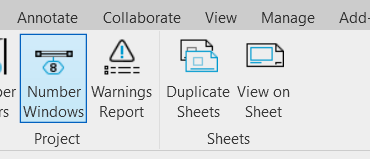
Number windows in Revit in a practical way
As a starting point for our Revit plugin, we converted a macro to number doors into part of our ribbon: A comprehensive guide to creating a customized Revit tab in C# As a demonstration of the versatility and how modular is the Revit API, we are adapting the macro to number doors after rooms to be able to…